Both Supply’d ERP and BatchMaster provide substantial food manufacturing functionality across recipes, production, quality, inventory, traceability and planning. BatchMaster brings deeper process-manufacturing and formulation capabilities across multiple industries, while Supply’d focuses exclusively on food and extends the operating workflow into customer ordering, intelligent order capture, employee training, supplier collaboration and last-mile delivery.
The platforms overlap significantly across food manufacturing, inventory, quality and traceability. The differences become clearer beyond the manufacturing core, with Supply’d connecting more customer, supplier and delivery workflows directly into the operating platform while BatchMaster offers deeper traditional process-manufacturing and financial functionality.
| Features | Supply’d ERP Food-native ERP for connected food operations | BatchMaster Food & process manufacturing ERP | |
|---|---|---|---|
| Industry focus | Purpose-built for food | Food, beverage & process manufacturing | |
| Platform scope | Complete food ERP | End-to-end process manufacturing ERP | |
| Typical implementation | 4–12 weeks | 1-6+ months | |
| Implementation provider | Direct with Supply'd | Direct with BatchMaster | |
| User experience | Modern, intuitive interface designed around food operations | Process-manufacturing interface | |
| Cloud platform |  |
 |
|
| Food product & recipe management | |
|
|
| Ingredients, allergens & nutrition | |
|
|
| Food labels & specifications | |
|
|
| Sales order management | |
|
|
| Standing & recurring orders | |
|
|
| Sales channel integrations | |
Available through integrations | |
| Customer ordering portal | |
Online customer portal available | |
| AI customer order capture | |
— | |
| Purchasing & procurement | |
|
|
| Demand forecasting | |
|
|
| Intelligent purchasing | |
MRP/MPS & automated replenishment | |
| Inventory management | |
|
|
| Batch & expiry traceability | |
|
|
| Production management | |
|
|
| Guided weigh-up & connected scales | |
Electronic weighing & scale integration | |
| Demand-driven production planning | |
|
|
| Warehouse management | |
|
|
| Mobile & scanner workflows | |
Available through Mobile WMS & MES | |
| Food safety & quality checks | |
|
|
| Employee training management | |
— | |
| Product recall management | |
|
|
| Fleet route optimisation | |
— | |
| Digital proof of delivery | |
Available through shipping integrations | |
| Cold-chain delivery checks | |
— | |
| Supplier invoice scanning & reconciliation | |
Document scanning available through integration | |
| Business intelligence & reporting | |
|
|
| Supplier collaboration | |
EDI & vendor portals available through integrations | |
| Financial accounting | Xero & MYOB integrations; native accounting coming soon | |
Supply’d ERP is designed around how food operations actually work. Clear colour coding, visual signals and guided workflows help teams know what needs attention and reduce the chance of mistakes. Everyday tasks stay simple for production, warehouse and operational teams, while managers, owners and executives still have access to the deeper controls, reporting and insights they need.
Both platforms offer sophisticated food manufacturing functionality, but their focus differs. BatchMaster is a broader process-manufacturing ERP with deep formulation, manufacturing and financial capabilities across several industries. Supply’d is focused entirely on food and connects more of the customer, supplier, operational and delivery journey within one platform.
Supply’d ERP connects every step, so sales demand informs purchasing, inventory informs production, picking updates orders and every result improves the next decision.


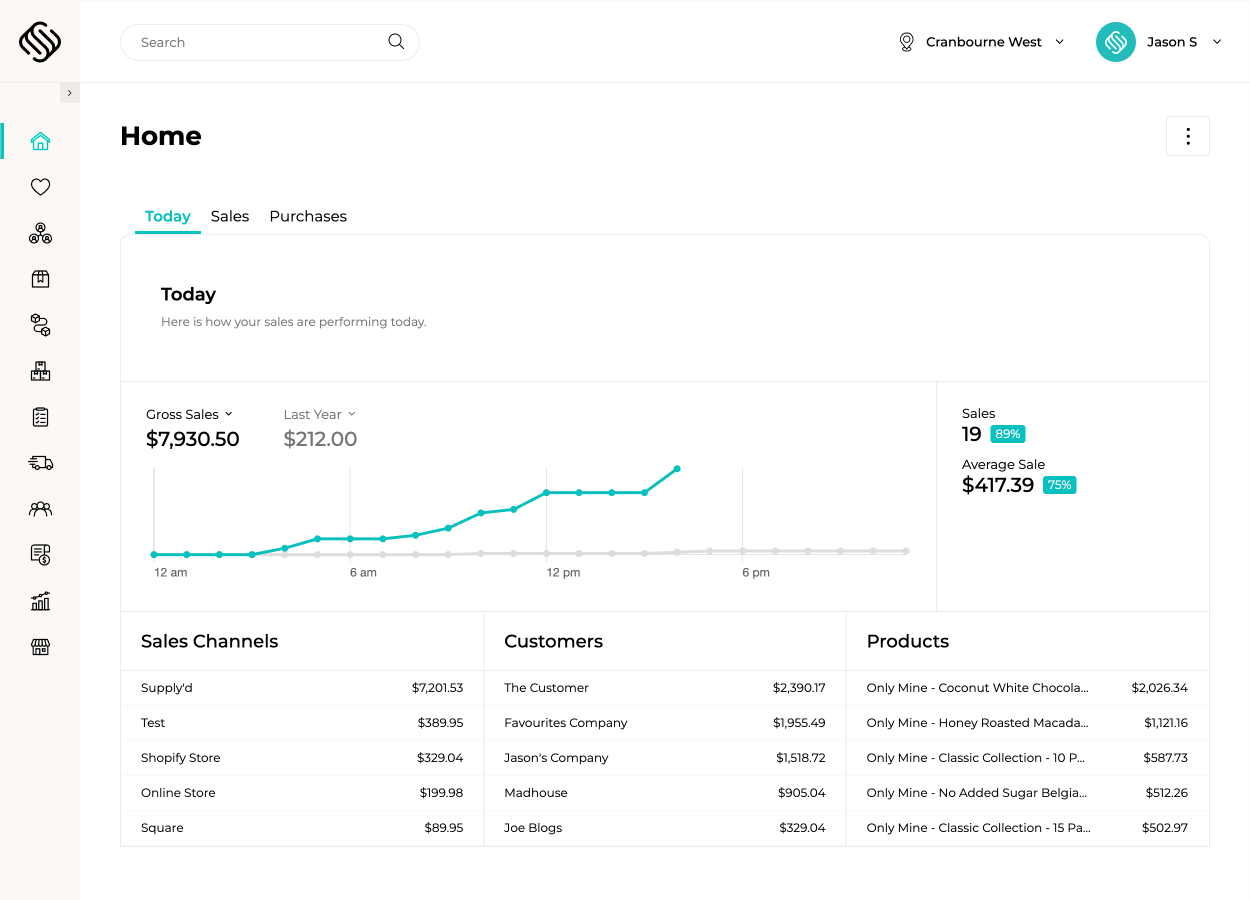
Most systems manage individual parts of the operation. Supply’d connects the entire journey, bringing sales, forecasting, purchasing, production, inventory, picking and delivery together in one platform. From the moment an order is received, every team can see what needs to happen next.



Implementation is tailored to the size and complexity of your operation. Choose structured remote onboarding or deeper planning, data support, onsite training and go-live assistance through our Discovery & Implementation Program.
Explore Implementation
Explore how food manufacturers, bakeries, wholesalers and retailers use Supply’d ERP to run their operations.
Book a demo